Tic Tac Toe Blackboard Puzzle
Reviews
Tic Tac Toe Blackboard Online Game captures the essence of the classic puzzle with a clean, nostalgic interface. The option to choose round counts adds replayability, and the two-player mode makes it great for family game nights. The computer opponent provides a fair challenge for solo players. It is a reliable, no-frills game that respects your time and offers consistent entertainment.
Description
Game Introduction
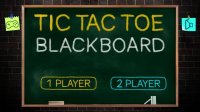
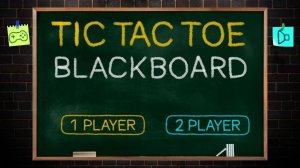
Tic Tac Toe Blackboard Online Puzzle Game brings the classic pencil-and-paper game to your screen with a charming blackboard theme. The core objective is simple: be the first to line up three of your marks—X or O—in a row on a 3x3 grid. This digital version preserves the timeless appeal of the original while adding convenient features like round selection and score tracking. It is a puzzle game that challenges strategic thinking and pattern recognition, suitable for players of all ages. The nostalgic blackboard design creates a clean, distraction-free environment that focuses on the gameplay itself.
How to Play
Players take turns placing their symbol (X or O) on a 3x3 grid. The first player to get three of their symbols in a horizontal, vertical, or diagonal line wins that round. If the grid fills up without a winner, the round ends in a draw. The game may offer options to play against a computer opponent or with a friend locally. Before starting, players can typically choose the number of rounds for the match, such as 3, 5, or 10. After each round, the score updates, and play continues until the selected number of rounds is completed. The player with the most round wins becomes the overall champion. The interface is designed to be intuitive, with clear buttons and responsive clicks.
Game Features
This puzzle game features a classic 3x3 grid that is easy to understand and play. It may include two modes: single-player against a computer AI and two-player local multiplayer. The blackboard theme gives the game a nostalgic, clean look with easy-to-read marks. Score tracking across multiple rounds adds a competitive element. The game is designed to work instantly in a browser without any downloads or registrations. It is family-friendly with no ads or in-app purchases, making it a safe choice for children and adults alike. The adjustable round count allows for quick sessions or longer matches.
Tips for Success
To improve your chances of winning, focus on controlling the center square, as it offers the most opportunities to create lines. Always watch for your opponent's potential winning moves and block them. Try to create multiple threats at once, forcing your opponent to defend only one. Practice regularly to recognize common patterns and strategies. For beginners, starting with the computer opponent can help you learn the basics without pressure. In multiplayer mode, pay attention to your opponent's style and adapt your strategy accordingly. Remember that a draw is better than a loss, so prioritize blocking over attacking when necessary.
Compatibility
Faq
Is this game free to play?
Yes, this game is typically free to play in your browser. It does not require any downloads, registrations, or payments. The experience is designed to be accessible without any upfront cost, making it easy for anyone to jump in and enjoy.
Can I play this game on my mobile device?
Since it is an online browser-based game, it can usually be played on any device with a web browser, including smartphones and tablets. The simple grid layout and touch-friendly controls make it suitable for mobile play, though the exact compatibility may vary.
Does the game save my progress or scores?
Typically, this type of browser game does not save progress between sessions. Scores are tracked only during the current match of rounds. Once you close the browser tab, the session ends. This makes it a casual, no-commitment experience.
Is there an option to undo a move?
Most versions of this game do not include an undo feature, as it is a turn-based game where each move is final. This encourages careful thinking and strategic planning. If you make a mistake, you can simply start a new round.
Can I change the difficulty of the computer opponent?
The game may or may not include difficulty settings for the computer AI. Some versions offer a single level of challenge, while others may provide easy, medium, or hard options. Check the game interface for any such settings before starting.
What happens if the game ends in a draw?
If all nine squares are filled and no player has three in a row, the round is declared a draw. No points are awarded for that round, and the game proceeds to the next round if there are more rounds remaining. The overall winner is determined by the total number of round wins.