
Reviews
Skyward Rocket Builder offers a thoughtful take on rocket simulation. The physics feel realistic, and the timing mechanic adds a layer of skill beyond simple building. Progression is well-paced, with new parts providing meaningful upgrades. The clean desktop interface makes it easy to focus on the task. It is a great choice for anyone who enjoys puzzle-like strategy games.
About this game
Rocket Assembly & Physics
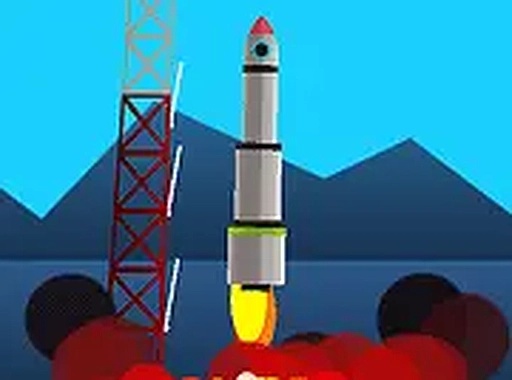
In Skyward Rocket Builder, players become engineers tasked with constructing rockets from a selection of components. The core challenge lies in understanding how each part affects the craft's trajectory and momentum. By attaching different sections, players influence the rocket's balance and thrust. The physics engine simulates realistic forces, making each launch a test of design choices. Successful flights depend on selecting parts that work together efficiently.
Launch Timing & Momentum
Launching the rocket is only half the journey. The key to reaching higher altitudes is knowing when to release each stage. Players must watch the rocket's ascent and decide the optimal moment to detach a spent section. This action transfers momentum to the remaining craft, propelling it further. Poor timing can stall the climb, while precise releases create a smooth, accelerating path upward. Practice helps players develop a feel for the right rhythm.
Progression & Customization
Each flight that reaches a new height earns currency that players can spend in the workshop. The shop offers a range of new rocket parts, from improved engines to lightweight frames. Players can also change the visual style of their rocket, adding personal flair. This progression system encourages experimentation, as different combinations may yield better performance. The more players launch, the more options they unlock.
Desktop Optimization
Skyward Rocket Builder is designed specifically for desktop computers. Mouse and keyboard controls give precise input for timing stage releases. A full screen mode removes distractions, allowing players to focus on the launch sequence. The interface is clean and responsive, making it easy to navigate the workshop and launch pad. Playing on a computer ensures the smoothest experience and best control.
Learning Through Play
The game teaches fundamental physics concepts through hands-on experimentation. Players learn about thrust, gravity, and momentum by seeing how their rockets behave. Each failed launch provides feedback on what went wrong, encouraging iterative improvement. There is no penalty for mistakes, only opportunities to learn. This makes the game accessible to younger players while still offering depth for those who enjoy optimization.








Comments
Sign in to leave a review
No account? Create one
No comments yet.