
Reviews
This game captures the simplicity of the original Tic Tac Toe while adding useful features like round selection and score tracking. The blackboard theme is visually appealing and keeps the focus on strategy. It works smoothly in a browser with no downloads, making it perfect for quick breaks. The option to play against a friend or the computer adds variety, and the lack of ads ensures a safe experience for all ages.
About this game
Game Introduction
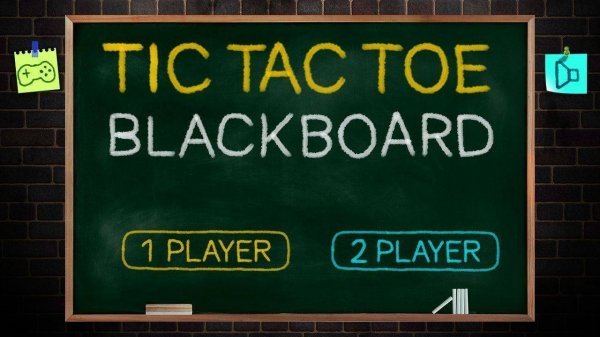
Tic Tac Toe Board Strategy Game brings the classic pencil-and-paper game to your screen with a charming blackboard theme. The core objective is simple: be the first to line up three of your marks—X or O—in a row on a 3x3 grid. This digital version preserves the timeless appeal of the original while adding convenient features like round selection and score tracking. It is a puzzle game that challenges strategic thinking and pattern recognition, suitable for players of all ages. The nostalgic blackboard design creates a clean, distraction-free environment that focuses on the gameplay itself.
How to Play
Players take turns placing their symbol (X or O) on a 3x3 grid. The first player to get three of their symbols in a horizontal, vertical, or diagonal line wins that round. If the grid fills up without a winner, the round ends in a draw. The game may offer options to play against a computer opponent or with a friend locally. Before starting, players can typically choose the number of rounds for the match, such as 3, 5, or 10. After each round, the score updates, and play continues until the selected number of rounds is completed. The player with the most round wins becomes the overall champion. The interface is designed to be intuitive, with clear buttons and responsive clicks.
Game Features
This puzzle game features a classic 3x3 grid that is easy to understand and play. It may include two modes: single-player against a computer AI and two-player local multiplayer. The blackboard theme gives the game a nostalgic, clean look with easy-to-read marks. Score tracking across multiple rounds adds a competitive element. The game is designed to work instantly in a browser without any downloads or registrations. It is family-friendly with no ads or in-app purchases, making it a safe choice for children and adults alike. The adjustable round count allows for quick sessions or longer matches.
Tips for Success
To improve your chances of winning, focus on controlling the center square, as it offers the most opportunities to create lines. Always watch for your opponent's potential winning moves and block them. Try to create multiple threats at once, forcing your opponent to defend only one. Practice regularly to recognize common patterns and strategies. For beginners, starting with the computer opponent can help you learn the basics without pressure. In multiplayer mode, pay attention to your opponent's style and adapt your strategy accordingly. Remember that a draw is better than a loss, so prioritize blocking over attacking when necessary.









Comments
Sign in to leave a review
No account? Create one
No comments yet.