
Reviews
Highway Drive Racing Challenge is a straightforward arcade driving game that excels in its simplicity and escalating challenge. The controls are responsive, and the traffic patterns become more demanding as you progress, providing a satisfying test of reflexes. The three-life system adds a layer of strategy without complicating the core experience. It's perfect for quick gaming sessions.
About this game
Game Introduction
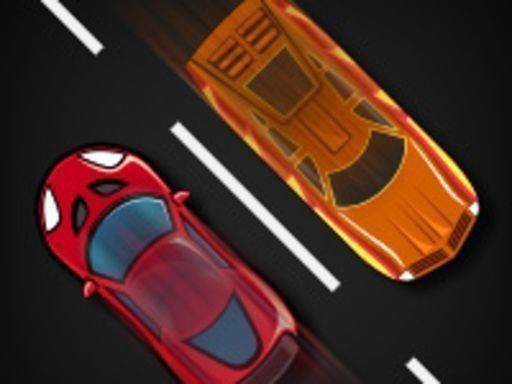
Highway Drive Racing Challenge is an online arcade driving game that places you behind the wheel of a fast sports car on a busy highway. The core objective is to drive as far as possible without colliding with other vehicles. Each collision costs one of your three lives. The game features a single, increasingly difficult level where traffic density and speed rise over time, creating a natural challenge that keeps you focused and engaged. The simple premise makes it easy to start playing immediately, while the growing difficulty ensures long-term replay value. Whether you have a few minutes or want to beat your best distance, Highway Drive Racing Challenge offers a satisfying test of timing and concentration.
How to Play
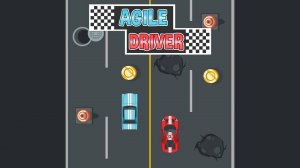
Players typically use keyboard controls to steer their car left, right, up, or down. A jump action is available to clear obstacles on the road. The main task is to avoid hitting other vehicles. Each crash reduces your life count, and you begin with three lives. As you progress, more cars appear and speeds increase. Plan your movements and use jumps wisely to stay safe. The longer you drive without crashing, the higher your score. The controls are responsive and easy to learn, making the game accessible for players of all ages.
Game Features
Exciting driving action with increasing difficulty. Simple keyboard controls suitable for all ages. A single endless level that becomes more challenging over time. Three lives per round encourage strategic play. Fast-paced gameplay perfect for short sessions or longer attempts. The game focuses on pure driving skill without complex mechanics, making it easy to pick up and play.
Tips for Success
Stay focused on the road ahead and anticipate traffic patterns. Use jumps to clear groups of vehicles when possible. Manage your three lives carefully—avoid taking unnecessary risks. Practice regularly to improve your reaction time and learn the timing of traffic increases. Try to maintain a steady speed and avoid sudden lane changes. The more you play, the better you will become at predicting and avoiding collisions.






Comments
Sign in to leave a review
No account? Create one
No comments yet.