Left Turn Driving Puzzle Arcade
Reviews
Left Turn Driving Puzzle Arcade offers a refreshing twist on driving games by restricting you to left turns only. This simple rule transforms standard racing into a strategic puzzle that tests your foresight and control. The controls are responsive, the difficulty scales well, and the family-friendly design makes it accessible to everyone. A great choice for quick, engaging sessions.
Description
Game Introduction
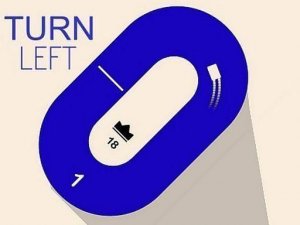
Left Turn Driving Puzzle Arcade is a driving puzzle that reimagines traditional racing by imposing a single, strict rule: your vehicle can only turn left. The core objective is to navigate a winding track, avoid obstacles, and stay on the road. Each successful lap adds to your score, and the challenge increases as you must anticipate turns and maintain control. This game tests your focus, timing, and spatial awareness. It is suitable for players of all ages who enjoy a good driving puzzle.
How to Play
Players typically use keyboard arrow keys or on-screen controls to steer their vehicle. The key rule is that you can only turn left, so you must plan your route ahead of time to stay on the track. Avoid driving off the road or hitting obstacles. Each lap completed increases your score. The game ends if you crash or leave the track. Practice your timing and control to achieve the highest number of laps possible. The simple controls make it easy to start, but mastering the left-turn-only rule takes skill.
Game Features
Unique left-turn-only driving challenge that adds a puzzle element to standard racing. Simple and responsive controls for easy pickup. Endless gameplay with increasing difficulty as you progress. Family-friendly and suitable for all ages. No downloads required—play directly in your browser. The game focuses on a clean, focused challenge that is easy to learn but hard to master.
Tips for Success
To excel, always look ahead and plan your turns early since you can only turn left. Maintain a steady speed to avoid losing control on curves. Practice regularly to improve your timing and spatial awareness. Focus on staying centered on the track to minimize the need for sharp corrections. If you find a section difficult, try a slower approach to learn the layout before increasing speed.
✅ Compatibility & Testing
Faq
Is Left Turn Driving Puzzle Arcade free to play?
Yes, the game is free to play directly in your browser without any downloads or purchases required. You can start playing immediately after loading the page.
Can I play this game on my mobile device?
The game is designed to work on most modern browsers, including those on mobile devices. On-screen controls are available for touch input, making it accessible on smartphones and tablets.
What happens when I crash in the game?
When your vehicle hits an obstacle or leaves the track, the game ends. Your final score is based on the number of laps you completed before the crash. You can then restart to try for a better score.
Does the game have different difficulty levels?
The game features increasing difficulty as you progress, with tracks becoming more complex and requiring sharper planning. There are no selectable difficulty levels, but the challenge naturally grows the longer you play.
How is my score calculated in the game?
Your score increases with each lap you successfully complete while following the left-turn-only rule. The longer you drive without crashing or leaving the track, the higher your score becomes. There are no bonus points for speed.
Can I pause the game during a session?
The game may include a pause feature that allows you to stop the action temporarily. This is common in browser-based driving games, but specific controls may vary. Check the game interface for a pause button or menu option.