
Reviews
Tile Swipe Color Match delivers a straightforward but addictive challenge. Guiding the sphere to break tiles and convert markers requires both speed and careful planning. The lack of a time limit removes stress, letting players focus on improving their personal best. The responsive controls work well on any device, and the minimal visual design keeps attention on the gameplay. It is an ideal choice for quick mental breaks or longer practice sessions.
About this game
Core Objective
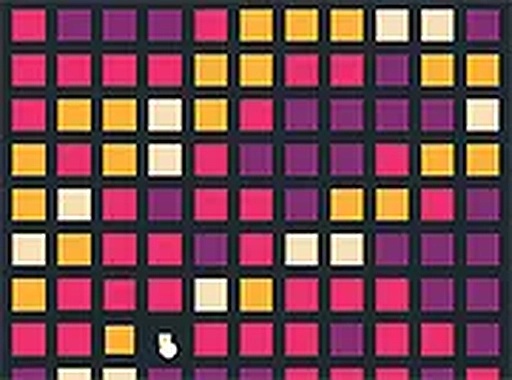
Players control a rolling sphere that moves across a grid of breakable squares. The primary goal is to shatter these squares to uncover hidden red indicators. Once revealed, the sphere must make contact with each red indicator to transform it into a green ring. Each successful conversion adds to the player's overall tally, encouraging quick and precise movements.
Movement and Control
Input methods are straightforward. On a desktop computer, arrow keys or the WASD layout direct the sphere's path. On a touchscreen device, swiping or tapping moves the sphere in the desired direction. The controls respond instantly, allowing for rapid adjustments as new tiles break and new targets appear. A full-screen mode is available to reduce distractions and improve focus.
Scoring and Progression
Points are awarded each time a red marker is converted into a green ring. There is no fixed endpoint; sessions continue as long as the player remains active. This open-ended structure means that each attempt offers a chance to beat a personal best. The scoring system rewards both speed and accuracy, as missing a marker means lost potential points.
Visual and Audio Design
The visual style is clean and uncluttered, with bright colors that make the sphere, tiles, and markers easy to distinguish. Sound effects provide gentle feedback when tiles break and when markers change color. The overall presentation is minimal, ensuring that the gameplay remains the central focus without unnecessary visual noise.
Accessibility and Platform Support
The game runs entirely within a web browser, requiring no software installation or account creation. It is optimized for both mobile and desktop environments, automatically adjusting to different screen sizes. This makes it easy to start a session on any device with an internet connection, whether during a short break or a longer play period.
Skill Development and Replay Value
Regular play helps improve hand-eye coordination and reaction time. Because the layout of tiles and markers changes with each session, no two attempts are exactly alike. This variety keeps the experience fresh and encourages players to develop new strategies for covering the grid more efficiently. The simple rules make it accessible to newcomers, while the pursuit of higher scores provides ongoing motivation for experienced players.







Comments
Sign in to leave a review
No account? Create one
No comments yet.